How to add new notes and access notes from other providers and Adracare in Patient Charts
Providers and staff can now create and view notes in patient charts, improving communication and patient care with other providers and Rocket Doctor's team. Each saved note appears as an individual record, including an audit stamp that displays the creation date, time, and author, with the most recent note listed first.
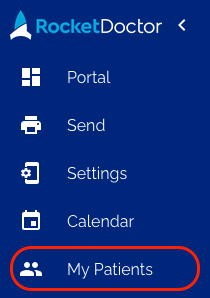
This feature is located below the Patient Details section within each individual patient chart. Patient charts can be accessed by selecting "My Patients" from the left navigation menu.
Please note that these notes are separate from appointment notes. Appointment-specific notes created in Starship are saved directly within the appointment session.
For Alberta and British Columbia providers only: All session notes, including images imported from Adracare after the Starship go-live, are stored together in the Notes section of each patient's chart.
Add New Notes
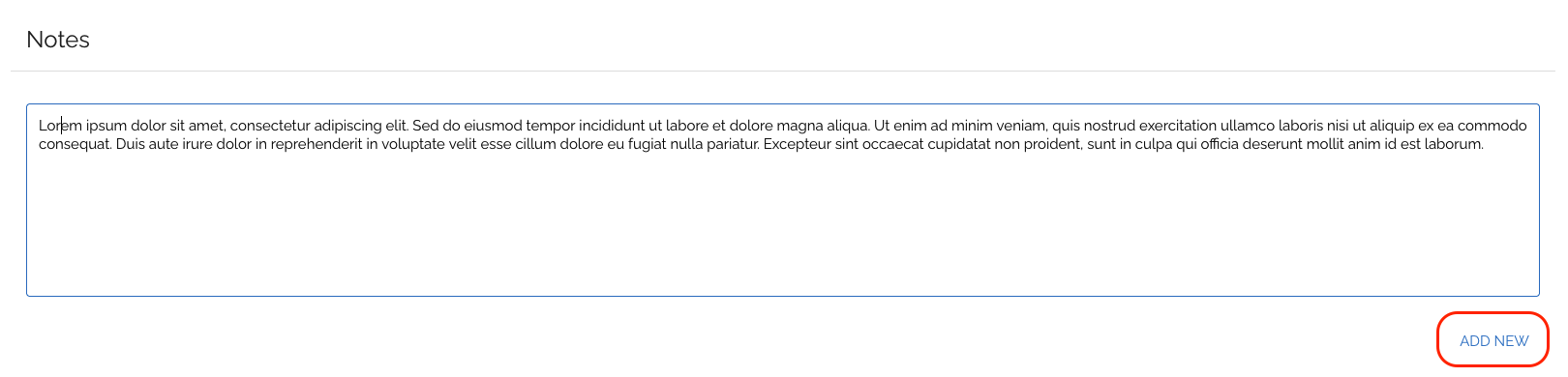
To add a new note to your patient's chart, simply type your text or copy and paste your notes into the description box. When you are ready to save the note, click the "ADD NEW" button. The newly saved note will appear at the top, indicating it's the most recent one.
Note: The option to upload and attach images to new notes in the description box is not yet available. We are aware of this request and will be adding a text editor soon.
View Notes
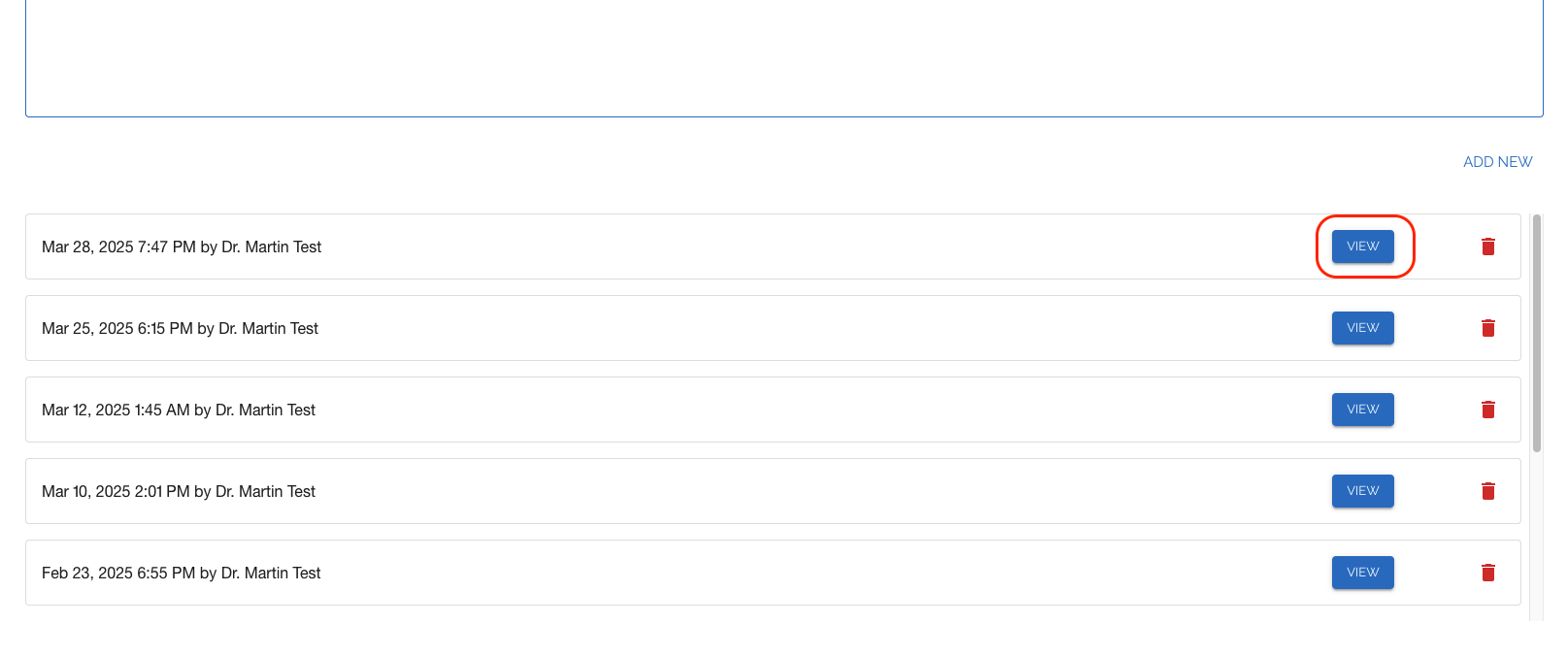
All saved notes will appear below the description box, with the most recent note listed first. If there are multiple notes, a scroll bar will appear, allowing you to scroll through the list. To view the details of a note, click the "VIEW" button to open a pop-up display.
If you accidentally save a new note or wish to modify your recently saved note, you can delete it by clicking the red trashcan icon. Please note that once the note is deleted, it will be removed from your patient's chart.
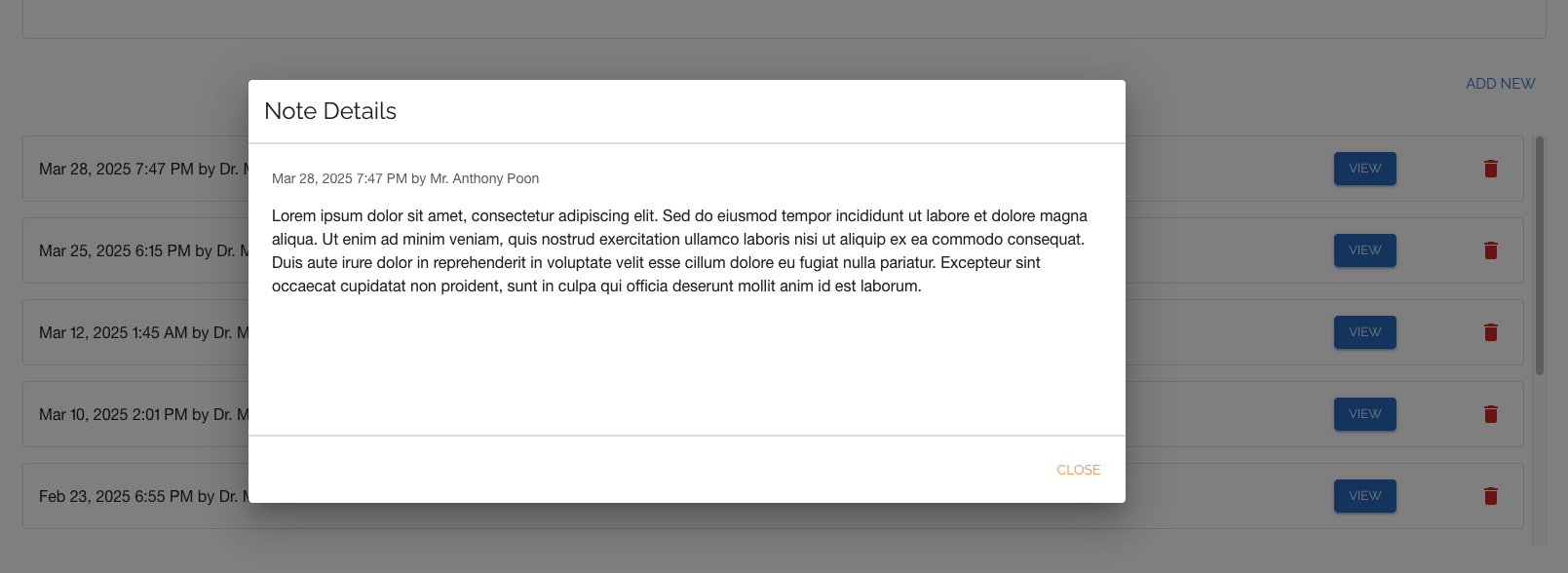
The pop-up note details will appear on the same screen. To close the pop-up, simply click the "CLOSE" button.
For Alberta and British Columbia providers only: All session notes, including images imported from Adracare will appear within this display.