
Ontario: Connecting Ontario - Clinical Viewer
Updated: April 4, 2025
ConnectingOntario ClinicalViewer – Registration Instructions
We recommend registering for ConnectingOntario ClinicalViewer, a secure, web-based portal that provides real-time access to your patients’ digital health records. Through the ClinicalViewer, you can view lab results, most imaging reports, hospital notes, and medication dispensing information (particularly for patients under 25, over 65, or those covered by the Ontario Drug Benefit program).
Step-by-Step Registration Guide
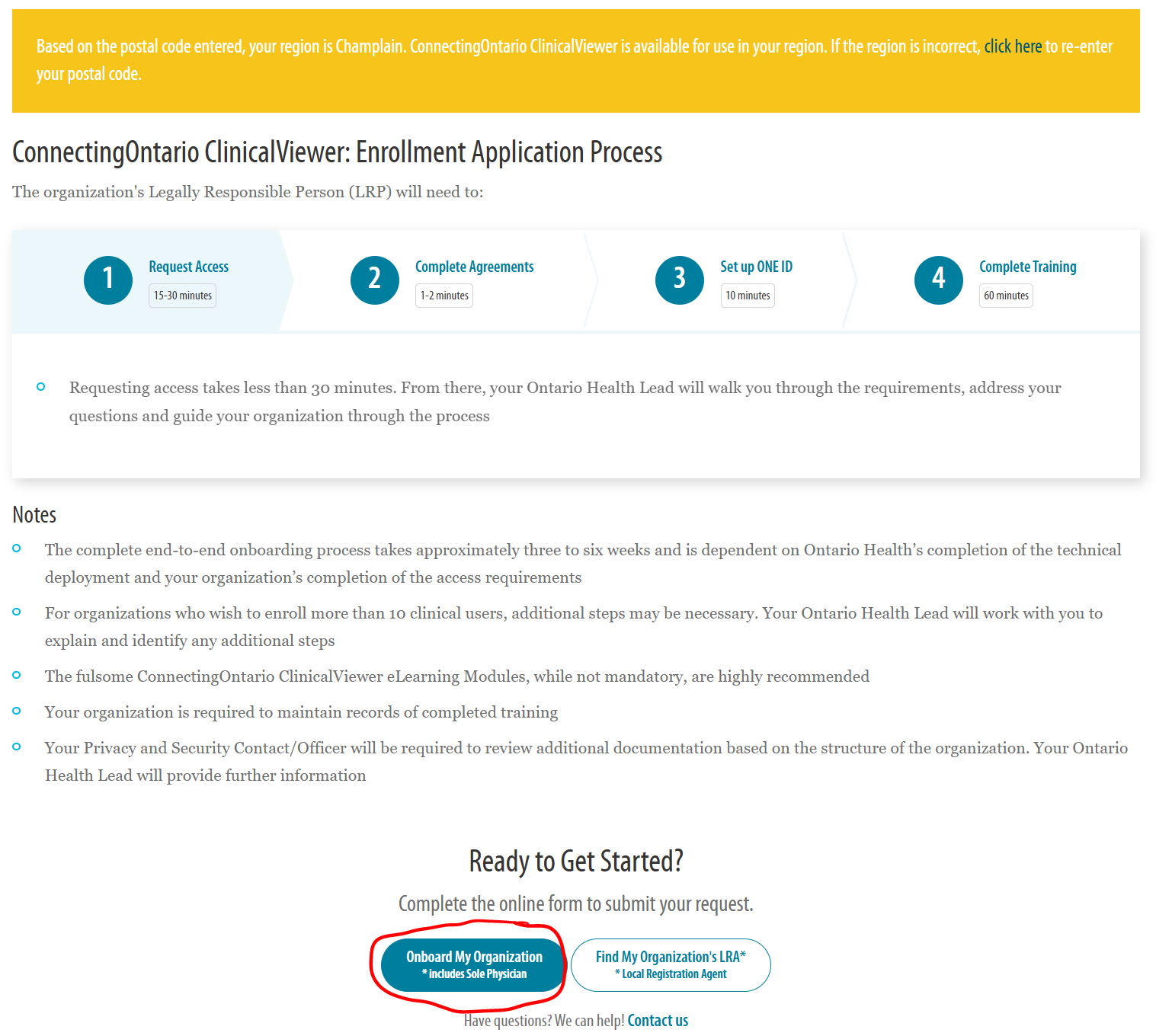
Go to the eHealth Ontario website.
- Scroll to the bottom of the page and enter your postal code, then click "Lookup my postal code"

Scroll to the bottom and click "Onboard my organization" (as you are enrolling as a Sole Physician).
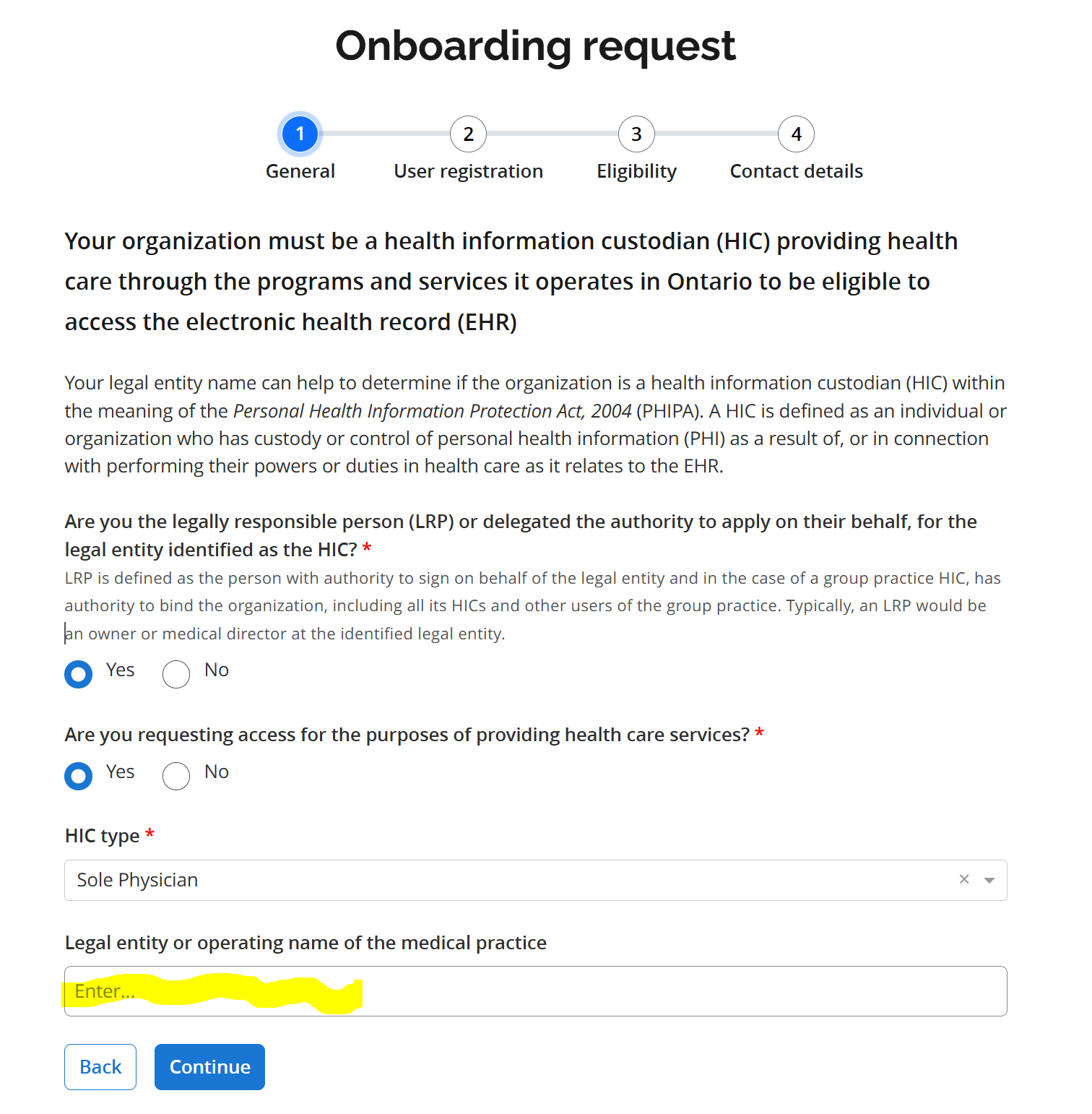
1. General request
- Select the following. If you are incorporated, you can enter the name in the highlighted area.
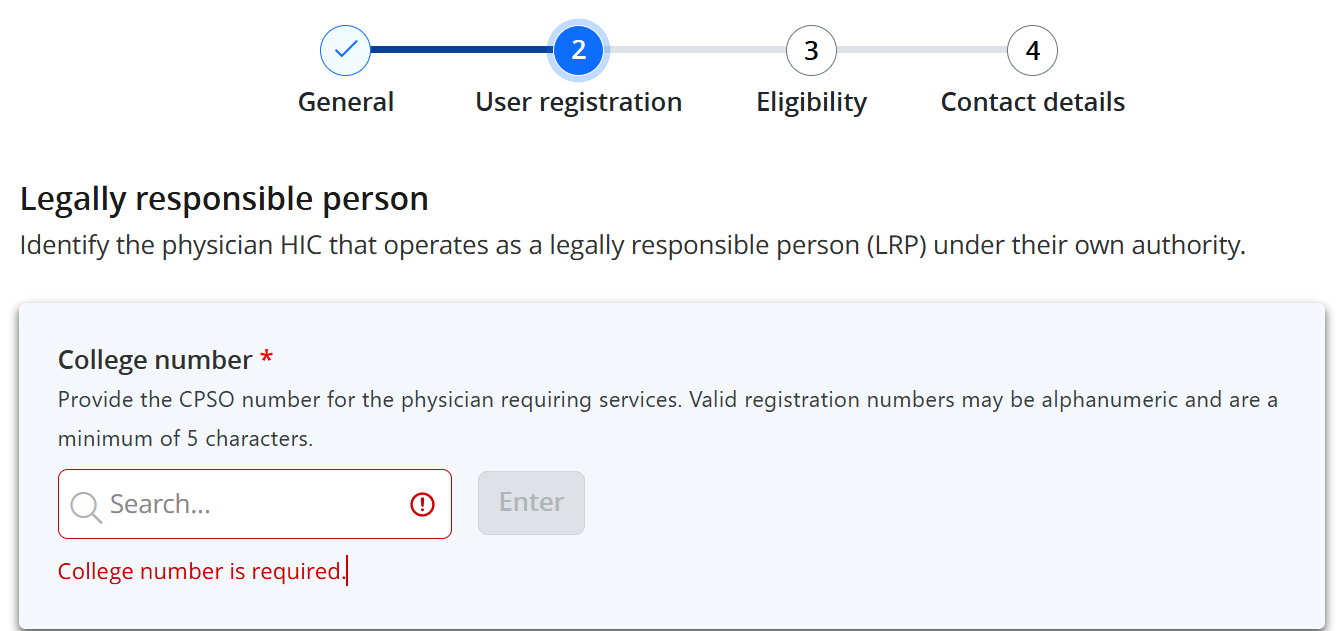
2. User Registration
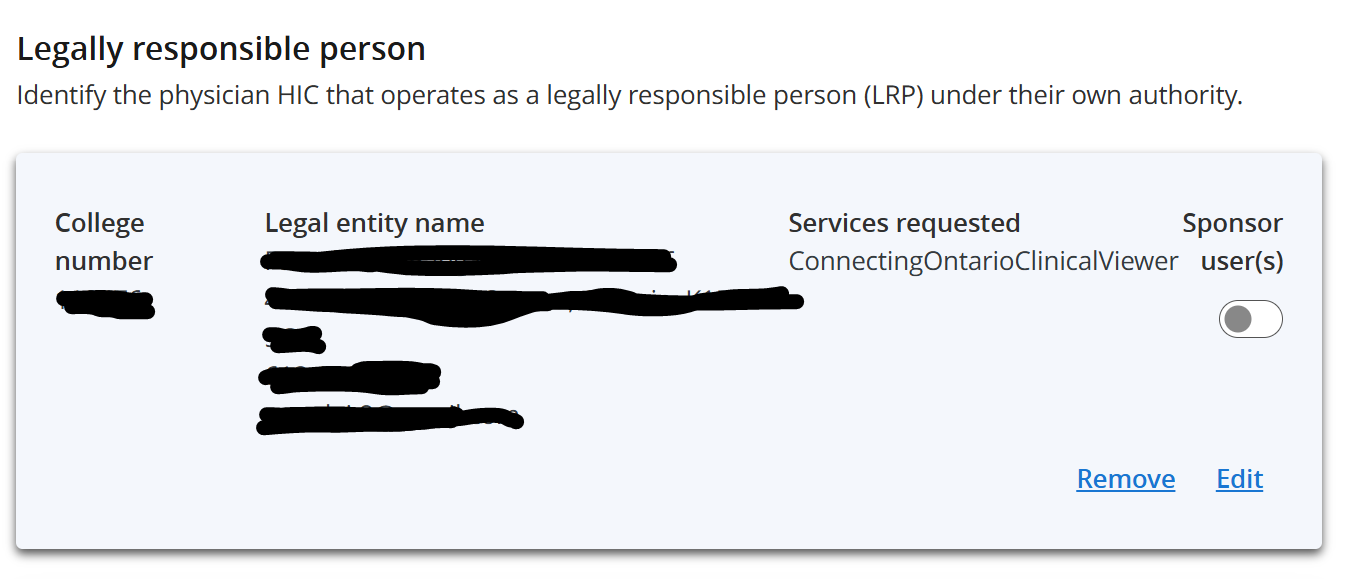
- Enter your business address (not 180 John street), personal phone number and email address
- Enter your OneID credential; if you do not have one, eHealth Ontario will contact you to set one up before granting access to Connecting Ontario
- You can leave the "Sponsor user(s)" un-selected. Your name should be populated under the Legal entity name as you are the Legally responsible person for your own virtual practice
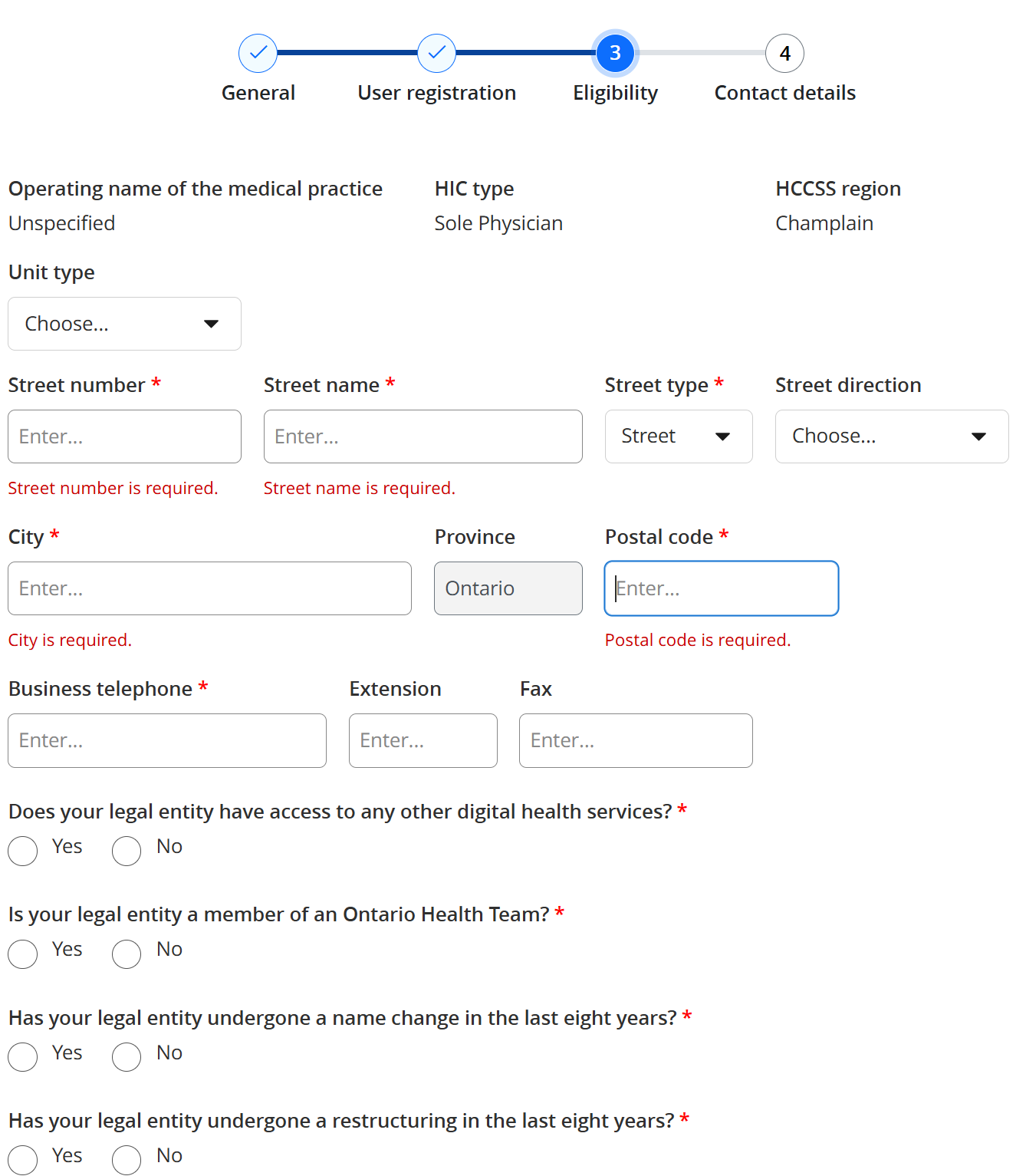
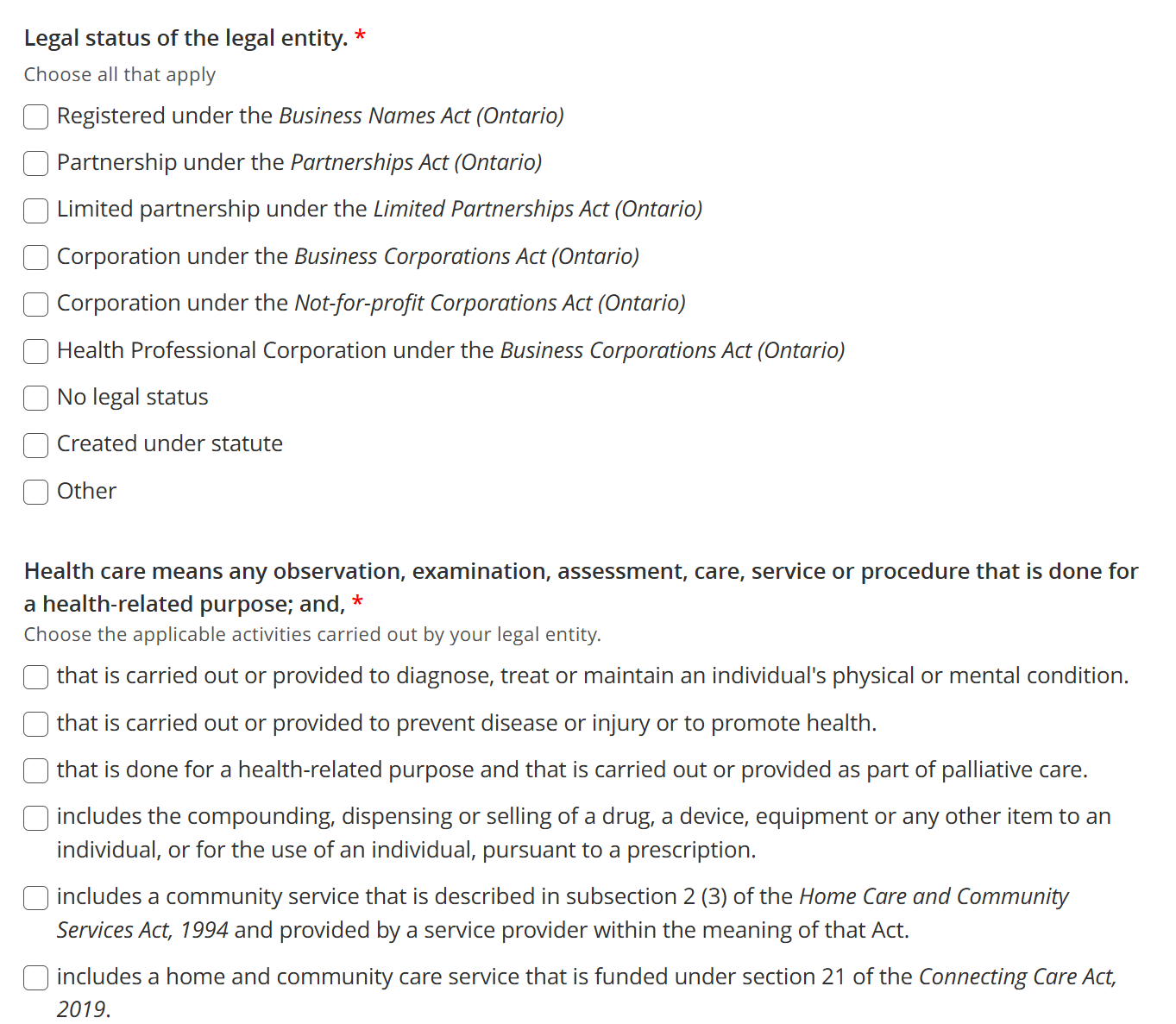
3. Eligibility
- Address: Enter your business or personal address (not 180 John street). This address is not publicly displayed anywhere.
- Yes/No questions: Select answers based on your practice situation
- Multiple choice questions: Select based on your practice situation
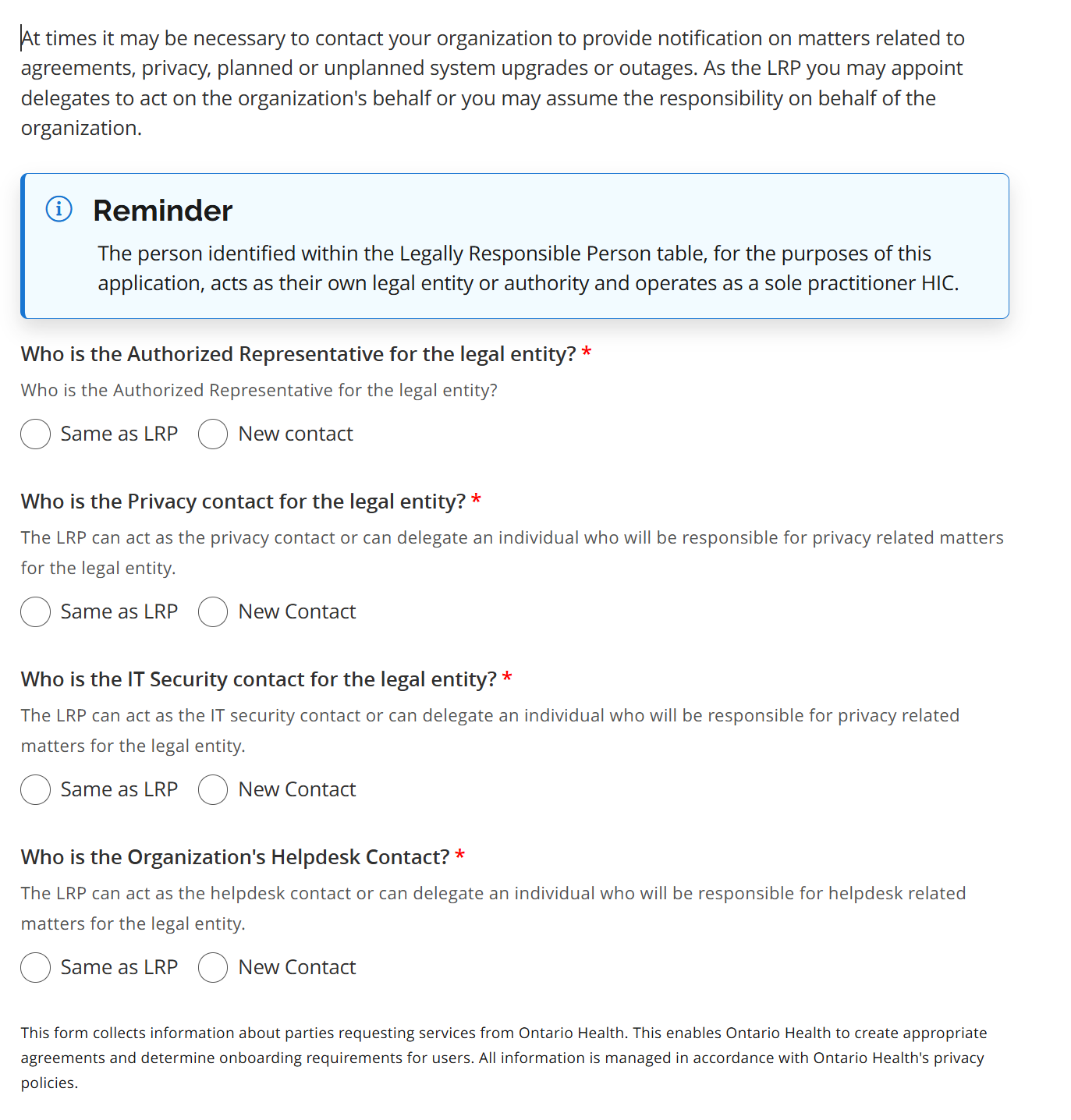
4. Contact Details
- Answer the following questions according to your practice / MPC. In most cases, the answers will all be "same as LRP".
Support & Contacts
For general inquiries or help with ONE ID:
- Phone: 416-586-6500
- Email: OH-servicedesk@ontariohealth.ca
- Hours: Monday–Friday, 8:00am–5:00pm (EST)
For technical support:
- Phone: 1-866-250-1554, option 1
- Email: OH-servicedesk@ontariohealth.ca
- Hours: 24/7